 Geld Apps
What Geld Billing looks like
Real screens from the app, with a sample shop. From opening the app to a printed, paid bill takes a few taps.
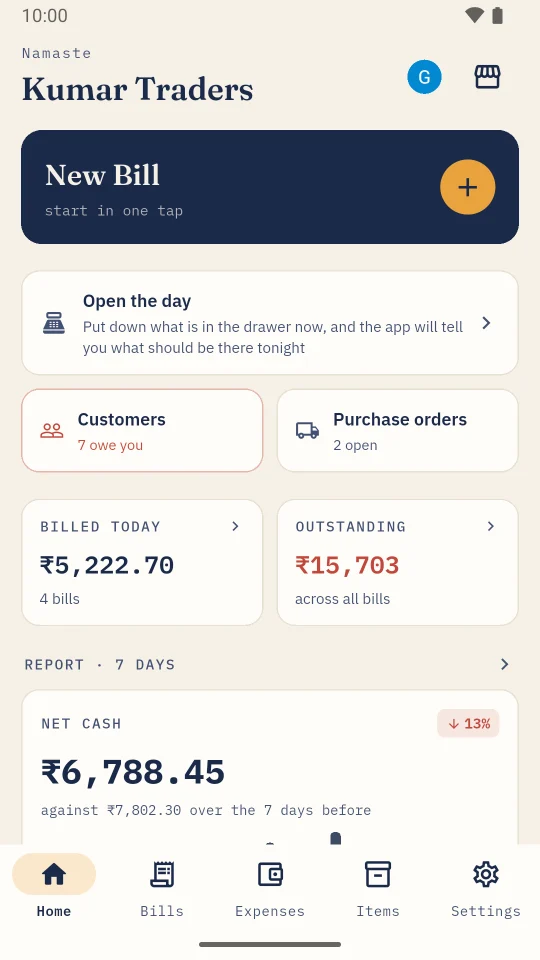
HomeStart a new bill in one tap, and see today's sales and who still owes you at a glance. 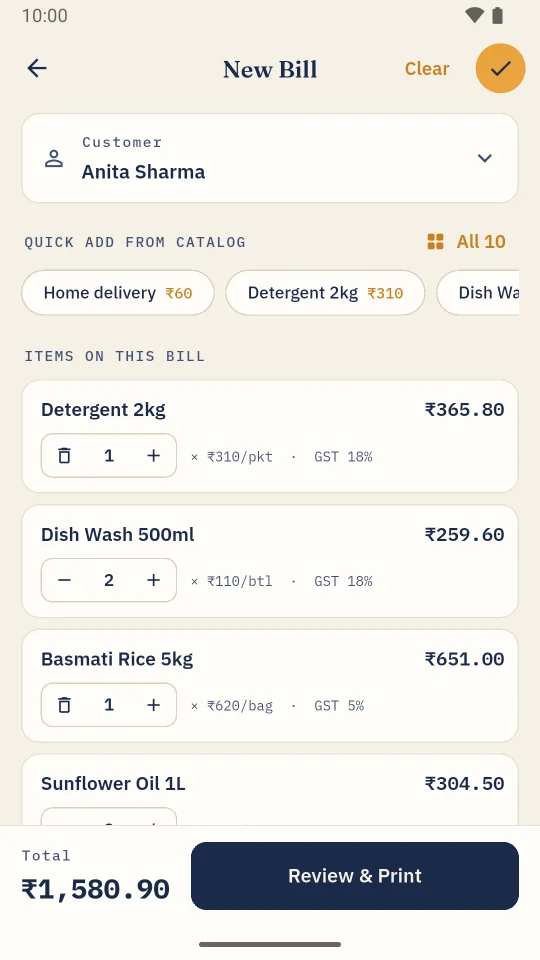
Make a billPick the customer, tap items, change quantities. GST is worked out per item and the total updates as you go. 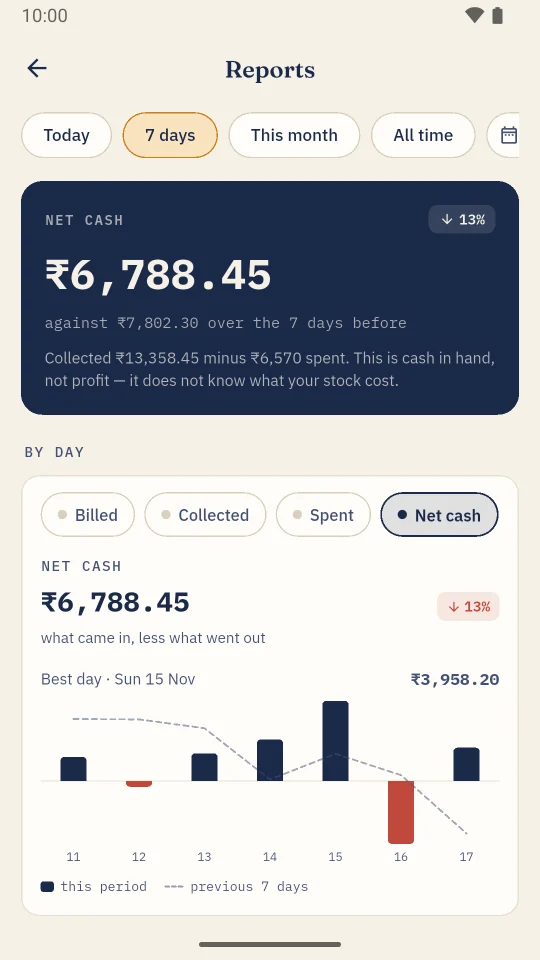
ReportsWhat you billed, collected and spent, by day, week or month, compared with the same time last period. 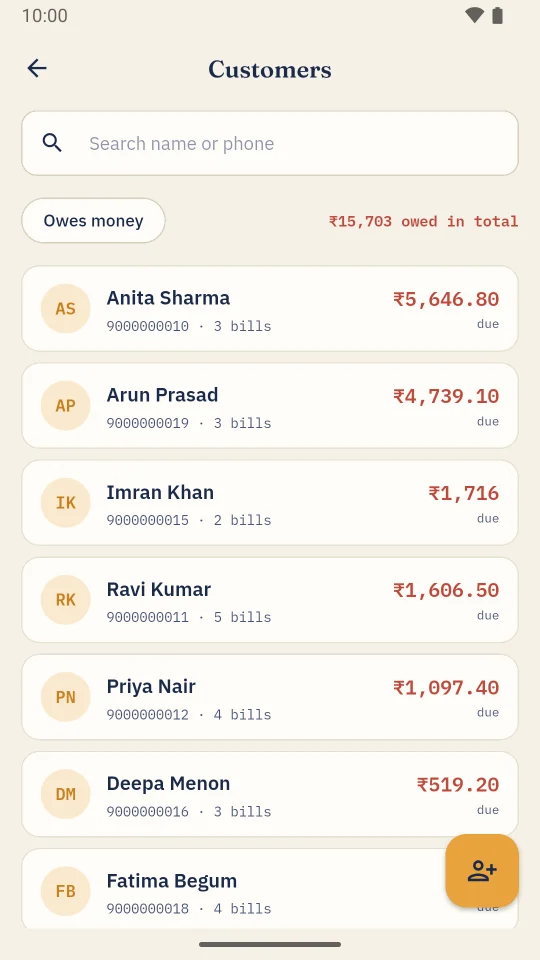
Customers and creditEvery customer's bills and what they owe, with the total outstanding across the shop.
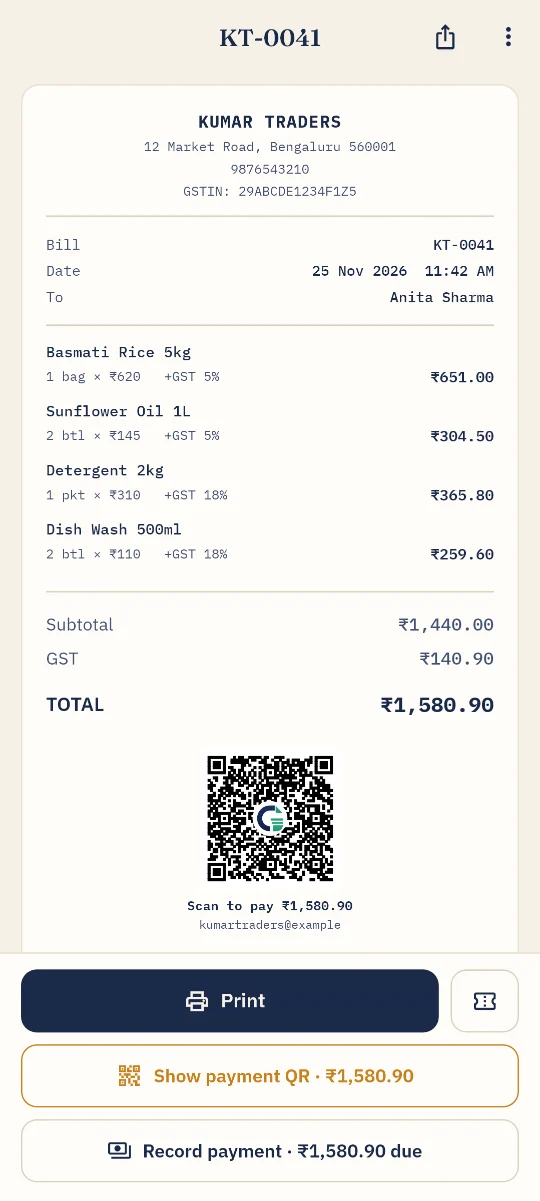
Bill preview with UPI QR
Every bill can be paid by scanning a UPI QR
This is the bill preview you see after tapping Review & Print. At the top is your letterhead (shop name, address, phone and GSTIN), then the customer, date and invoice number. Each item shows its quantity, rate and GST rate, followed by the subtotal, GST and total.
If the bill isn't paid yet, Geld adds a UPI payment QR under the total. The amount and invoice number are already in the QR, so the customer scans it with any UPI app (Google Pay, PhonePe, Paytm or their bank's app) and sees the exact amount. The money goes straight to your own UPI account. Geld never handles the money.
- Print sends the bill, QR included, to your thermal or A4 printer.
- Show payment QR opens the code full screen so a customer can scan it off your phone at the counter.
- Record payment marks the bill paid by UPI, cash or card, in full or in part.
- The share button sends the same bill as a PDF or image on WhatsApp.
Print bills from your phone on a thermal printer
No computer needed. Pair a small 58mm or 80mm thermal printer with your Android phone once, and every bill prints with one tap.
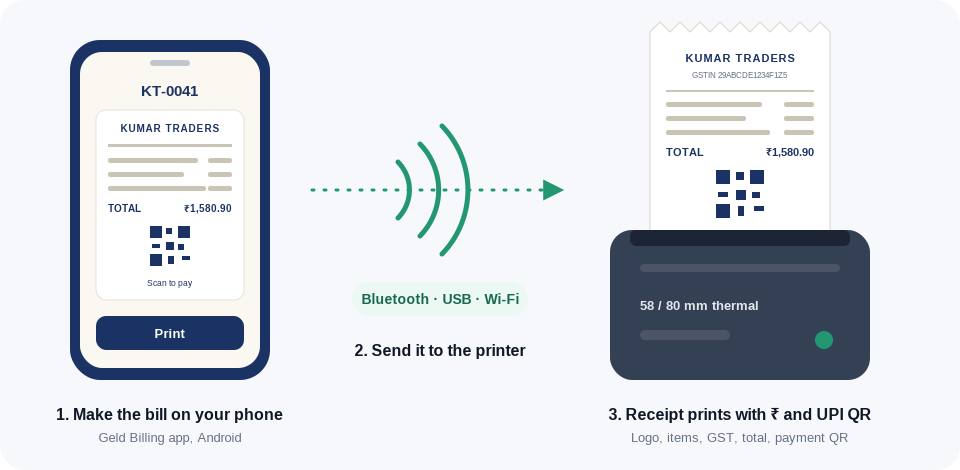
1. Make the bill
Tap items or scan barcodes in Geld on any Android phone (Android 7.0 or later).
2. Send it to the printer
Over Bluetooth, a USB OTG cable, or Wi-Fi/LAN (port 9100). Works with ESC/POS printers, which covers most billing printers sold in India.
3. Hand over the receipt
Shop name, GSTIN, items, GST, total and a UPI QR print on 58mm or 80mm paper. A4 and A5 work through Android printing.
Connect staff phones to the owner's phone
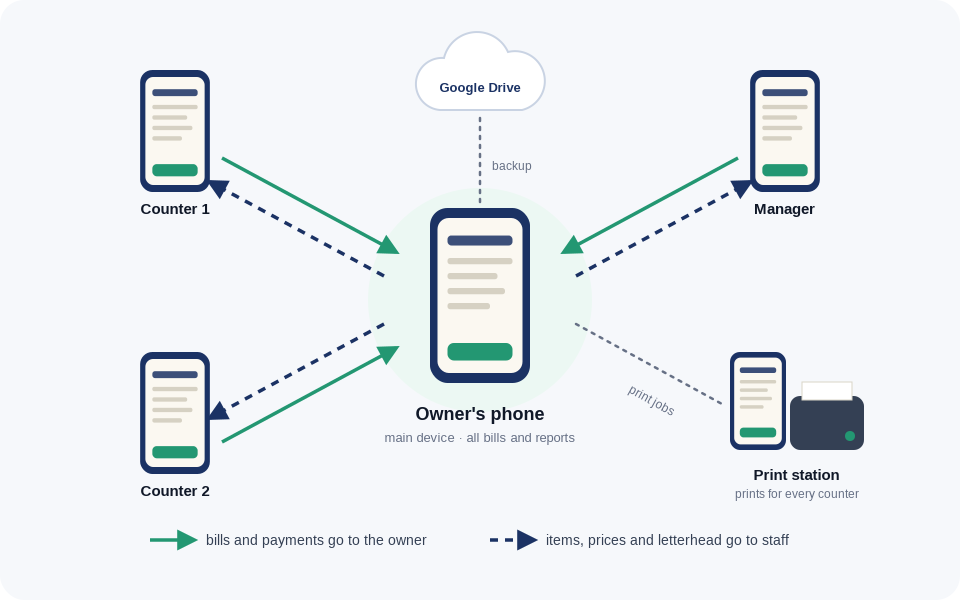
Run more than one counter. Each staff member bills on their own phone, and every bill reaches the owner's phone automatically.
Link by QR code
The owner shows a QR code and the staff phone scans it. No passwords to share.
Bills go to the owner
Bills and payments taken at every counter appear on the owner's phone, in reports and in the customer book. Each counter has its own invoice series (C1-0001, C2-0001), so numbers never clash.
Prices go to the counters
Change an item, price or your letterhead once on the owner's phone and every counter gets it. Corrections to bills travel back too.
Roles and permissions
Owner, Co-owner, Manager, Counter staff and Viewer. Choose who sees all bills, who can take payments and who can print.
Shared print station
One phone next to the printer prints the bills from every counter, so you need only one printer.
Keeps working offline
Linking needs Google sign-in and internet to pass bills between phones. Each phone keeps billing offline and catches up when it's back online.
How Geld Billing works, in short
- Set up your shop once: name, address, phone, GSTIN, logo and UPI ID. No account is needed to start.
- Add your items or services with price, unit and GST rate, or add them while you bill. You can also scan barcodes.
- Make a bill by tapping items. Add discounts in rupees or percent, and pick a customer if you're giving credit.
- Review & Print: print on a thermal or A4 printer, share as PDF on WhatsApp, or show the UPI QR.
- Get paid: mark it paid by cash, UPI or card, or leave it on credit and take part payments later.
- See your business: reports for today, this week or this month, plus expenses, purchase orders and a day book for the cash drawer.
- Stay safe: turn on automatic backup to your own Google Drive and restore on a new phone by signing in.
Made for the way you bill
Free GST billing
GST per item, your GSTIN on every bill and a proper Tax Invoice on A4, with no subscription.
GST billing appProfessional invoices
Your logo, letterhead and a UPI QR on every invoice. Share it as a PDF on WhatsApp or print it.
Invoice maker appThermal printer billing
58mm and 80mm printers over Bluetooth, USB or Wi-Fi, with the ₹ sign and your logo on the receipt.
Thermal printingBuilt for kirana and retail shops, traders, and service businesses such as electricians, plumbers, repair shops, salons, tailors and consultants.
Your data stays yours
Offline first
Billing, printing, payments and reports all work with no internet. Your books live on your phone. Only if you link staff devices do records pass through Google Firebase to reach them.
Backed up to your own Google Drive
Sign in with Google and Geld backs up to a private app folder in your Drive. On a new phone, sign in with the same account and your shop comes back.
Export any time
Send CSV files to your accountant, or save a full backup file and keep it wherever you like.
No account needed to bill
You can use Geld on a single phone without signing in. Sign-in is only for Drive backup and linking staff devices.
More than bills
Items and services
Services can include materials, with a minimum charge, and you choose whether materials show line by line or bundled.
Barcodes and labels
Scan product barcodes with the camera, or create your own codes and print price labels on A4 sheets or label rolls.
Expenses
Record spending with a category, payment mode, note and photos of the receipt.
Purchase orders
Write orders to suppliers, share them as PDF, and track them from draft to received.
Day book
Open the day with the cash in the drawer, close it with a count, and see whether it balances.
Counter slips
Print short slips and payment receipts with a barcode; scan one later to open its bill.
Quick answers
Is Geld Billing free?
Yes. All of Geld's features are free to use, and it is supported by ads.
Does it work without internet?
Yes. You can bill, print, record payments and see reports with no connection. Backup and staff syncing catch up when you are online again.
Can customers pay by UPI?
Yes. Add your UPI ID once and unpaid bills carry a UPI QR with the amount and invoice number filled in. It works with any UPI app, and the money goes straight to you.
Can I make GST bills?
Yes. Set a GST rate on each item and add your GSTIN to your shop profile. With a GSTIN, the A4 bill is titled "Tax Invoice".
Which printers does it support?
ESC/POS thermal receipt printers (58mm and 80mm) over Bluetooth, USB or Wi-Fi/LAN, and any printer your Android phone can print to for A4 and A5.
Can my staff use their own phones?
Yes. Link each staff phone to the owner's phone by scanning a QR code. Their bills reach the owner's phone, and items and prices reach theirs.